
|
Wipe
Deletes garbage and protects privacy
Privacy and Performance The primary function of this utility is to put the utmost importance on the privacy and performance of your computer. Our software deletes temporary files, caches, cookies, Internet history, and more, thus freeing up valuable disk space. Deleting unnecessary files can be especially great for those running their systems on smaller SSDs. As a result of the software, you'll receive maximum confidentiality, so prying eyes won't be able to spy on you, record your activities, or do anything malicious.
Recent update - 14 April 2024 |



|
Duplicate File Finder
Finds duplicate files even with one pixel difference
Finds duplicate pictures and videos This app does what it named for. You can choose any folder on your hard drive (or use standard user folders) and our app will deeply analyze contents of selected folders for searching for any duplicates. The most amazing things is that it will take just a few seconds. Files will be compared by the MD5 hashing algorithm, which means that they will be compared by content, not by name. Then, using our convenient user interface you can view duplicates and delete those which you don't need.
Recent update - 2 April 2024 |



|
Prevent Restore
Prevents recovery of already deleted files
Preventing is a goal Even if you regularly empty your device's Recycle Bin, the content in there is not deleted forever. They remain stored on your hard drive until newer data overwrites them. Anyone using a special recovering software can restore deleted data and infringe upon your privacy. Our software can permanently erase your deleted content to keep your data secure and private.
Recent update - 5 February 2024 |

|
Secure Delete
Securely erases selected files forever
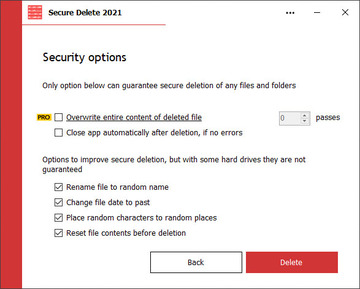
Quick access to security This software is an effective tool for securely erasing files and folders permanently. Once this software has been used, the selected files and folders do not go to the Recycle Bin and will be unrecoverable. Users have several security options to allow you to choose the level of security that you need, which will be reflective of the speed of processing.
Recent update - 30 January 2024 |


|
Secret Disk
Creates additional hidden disk protected with a password
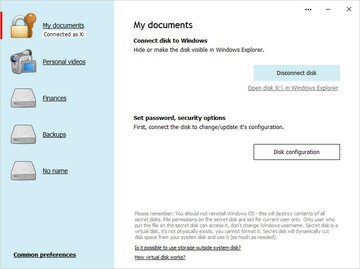
Additional Secret Disk Creating a secure place for sensitive files has never been easier than with our software Secret Disk. Within a few clicks, you can create a password-protected additional hard disk to store, hide, and lock files. The software also enables you to set several automation scenarios to make usage very convenient for you. If you need more than one secret disk, that can easily be handled by our software.
Recent update - 9 March 2024 |